Videoshop - Video Editor
- 4.6
- Rating
- 10.00M
- Installs
- Free
- Price

 Analysis by App-foxy
Editing a family video often sounds easier than it is. Someone records a birthday, a school performance, a pet doing something funny, or a short holiday clip, and then the shared phone fills up with separate recordings that need trimming, joining, and polishing. I found Videoshop - Video Editor useful in that exact situation because it keeps the basic editing process approachable without making me learn a desktop-style timeline first. It is a free video editing app from Jajijujejo Inc., aimed at everyday personal videos rather than professional production.
My first impression was that it makes sense for a household where several people may use the same device, but not necessarily with the same editing experience. One person can make a quick cut for sharing, while another can spend more time arranging clips and adding effects. That flexibility is the main reason I would recommend trying it. At the same time, I would not treat it as a complete replacement for a full desktop editor, especially when a project needs detailed audio mixing, precise layer control, or a carefully organized archive.
How Videoshop fits into shared household use
A realistic example is a family gathering where three people record the same event from different angles. Instead of sending every long clip to everyone, I would use Videoshop to remove the empty moments, place the strongest sections together, and create one shorter version for relatives. The app’s appeal here is not that it turns a phone into a film studio; it is that it reduces the number of steps between recording and having something watchable.
You May Also Like

 Blood Strike: 2.5 Anniversary
Blood Strike’s Loadouts Turn Every Drop Into a Tactical Gamble
A close look at Blood Strike’s custom loadouts: how fast access to signature weapons reshapes its battle royale rhythm, rewards preparation, and narrows the gap between fights.

 Pandora - Music & Podcasts
Pandora’s Music Is Easy to Start, but Harder to Recover
Pandora’s strength is its low-effort path from a seed to a station. Its weak spot is how much confidence it asks you to place in connection, setup, and quiet recovery.

 8 Ball Pool
 Is Built on Rivalries, Rematches, and Routine
A close look at the rivalries, rematches, shared routines, and unanswered safety questions that turn a quick pool match into a persistent mobile community.

 Samsung Music
’s Quiet Strength Is Playing What You Already Own
Its reach comes less from spectacle than from dependable access to a personal library. That simplicity is both the app’s strongest retention engine and its ceiling.

 AccuWeather: Weather Radar
AccuWeather Review: A Quick, Clear Forecast for Everyday Decisions
For everyday plans, the best forecast is the one you can understand quickly. AccuWeather makes rain timing, radar, and local conditions easy to act on, with a few trade-offs.

 Hill Climb Racing
Why Hill Climb Racing Still Turns Crashes Into One More Run
A tiny car, a bumpy hill and one more upgrade: Hill Climb Racing keeps resurfacing because its simple chaos makes every near-miss feel personal.
More From Our News Desk



That distinction matters on a shared device. A parent may want a quick result before sending a clip to a group chat, while a teenager may care more about rhythm, effects, and a personal style. Videoshop gives both users a reasonable starting point. The simpler tools are easy to understand, and the more decorative options provide room to make a video feel less like an untouched camera file.
I also like the idea of using it as a temporary editing station rather than a permanent family archive. Before starting, I would create a small selection of source clips and decide which final versions are needed. That prevents the editor from becoming a dumping ground for every duplicate recording. On a shared phone, this small bit of preparation saves time and avoids confusion when several people are waiting to use the device.
The app is especially comfortable for short personal projects: a quick montage, a message for a friend, a simple event recap, or a social clip assembled from a few recordings. It is less convincing for a long family documentary with many scenes, repeated revisions, and a large number of source files. The more material a project contains, the more important it becomes to keep a clear naming and storage routine outside the editor.
What I would decide before opening a project
On a shared device, the first boundary should be ownership. I would make sure everyone agrees which recordings can be edited and which should remain untouched. This is particularly important with children’s videos, private conversations, or footage that includes people who may not want to appear in a final version. An easy editor can make changes quickly, but convenience should not replace consent.
The second boundary is the intended audience. A video for grandparents may need different choices from one made for close friends. I tend to keep personal edits restrained when the audience is broad: clean cuts, readable text, and effects that support the moment instead of covering it. For a private joke among friends, stronger visual treatment may be fine. Videoshop makes experimentation accessible, but it cannot decide whether an effect is appropriate for the people watching.
It is also worth agreeing on who gets the final say. If several household members are contributing clips, I would choose one person to assemble the first draft and let the others review it afterward. Passing the phone back and forth during editing sounds collaborative, but it often produces accidental changes and unclear decisions. A simple division of roles works better: one person selects footage, another checks the story, and a final person approves what is shared.
Because the app is free to download, it is easy to try without making the whole household commit financially. However, in-app purchases range from $0.99 to $39.99 per item, so I would discuss purchases before handing the phone to a child or another casual user. The important point is not the existence of optional spending itself; it is that a shared device needs a clear rule about who may approve it.
A practical workflow for several people
My preferred household workflow begins outside the editor. I first gather only the clips that belong to one project, then watch enough of each to identify the useful moments. I avoid importing every take because editing becomes slower when the project is crowded with near-identical footage. This is one of the less obvious ways to make the app feel faster: good selection before editing matters more than adding more effects afterward.
Next, I create a rough sequence based on meaning rather than recording order. For a birthday video, that might mean opening with the room before the surprise, showing the reaction, and ending with a short group moment. For a pet video, the funniest action may work better near the beginning. Videoshop is most helpful when I already know what the video should communicate; it is not a substitute for making that decision.
After the rough cut, I use text and effects selectively. A title can identify an event or person, but too many labels make a short video feel busy. The same applies to transitions. When every clip has a different visual treatment, the viewer notices the editing instead of the event. I usually choose one consistent style and reserve a stronger effect for a particular moment that deserves emphasis.
Finally, I watch the complete result with sound before sharing it. A clip can look fine while background noise, an abrupt volume change, or an unintentionally long pause makes it uncomfortable to watch. This last review is especially useful when a child has edited the video and is focused mainly on visual effects. I would make the review collaborative, but keep the feedback specific: identify the exact moment that needs trimming rather than asking for a vague “better” edit.
Age, trust, and personal footage
Videoshop has an Everyone content rating, which makes it approachable in a household context. I still would not interpret that as a reason to give every child unrestricted control over family recordings or purchases. Age suitability and household trust are different questions. A child may be perfectly able to trim a clip while still needing an adult to decide what can be shared publicly.
The app can be a good learning tool because editing teaches useful habits: choosing what matters, respecting another person’s image, checking sound, and thinking about an audience. I would let a young user begin with a copy of harmless footage rather than an original recording. That simple rule protects the source material and makes experimentation less stressful.
For older children and teenagers, the more important conversation is often about the final destination. A polished video can travel farther than expected once it is shared. I would encourage them to check faces, names, locations, and private details before sending anything. Videoshop helps shape the presentation, but responsibility for the people shown remains with the person making the edit.
Shared-device use also raises a quieter issue: one person may leave project material available for the next user to see. I would finish each household project by reviewing what remains on the phone and moving or removing material according to the family’s normal storage habits. I am not suggesting that the app provides special family boundaries; it does not turn separate users into separate accounts. The boundary has to come from the people using the device.
Where the editing tools feel strongest
The strongest part of the experience is the balance between speed and creative control. I can approach a project as a basic trimming job, or spend more time shaping its mood with effects, text, and arrangement. That makes the app more useful than a camera’s built-in editor, which is often limited to simple cuts, while remaining less intimidating than a professional editor with a dense interface.
I find the app most effective when the source material is already reasonably clear. Good lighting and steady framing still matter more than any filter. If a recording is badly exposed or dominated by wind noise, editing can reduce the distraction but cannot fully rescue the moment. This is an important trade-off for beginners: the app gives you more ways to improve a clip, but it does not remove the need to record thoughtfully.
Another practical strength is the ability to make a video feel intentional without requiring a long session. A short sequence with a clear opening, a few carefully chosen clips, and a clean ending can look much better than a longer collection of everything that happened. I would rather use three suitable effects well than apply every available option. The app rewards restraint more than constant decoration.
For a shared household, that range also helps different users meet at their own level. A beginner can learn by trimming and ordering clips, then gradually explore text and effects. Someone more experienced can make more deliberate stylistic choices. The interface does not force every user into the same workflow, which is valuable when one phone serves several people.
Limitations compared with other video editors
Videoshop is not the right choice when I need the precision of a full non-linear editor. If a project depends on multiple visual layers, detailed keyframe work, advanced color correction, or complex audio balancing, I would move to a more specialized desktop or mobile tool. Those alternatives take longer to learn, but they offer the control needed for demanding work.
It also may not suit someone who wants a large template-driven system that automatically builds a finished video from selected media. Videoshop feels more hands-on. That is a benefit when I want to decide the order and tone myself, but a drawback when speed matters more than personal control. Users who prefer automatic music-led montages may find another editor more convenient.
There is a similar trade-off with organization. For a small project, selecting clips manually is manageable. For a large collection spread across many events, I would rather prepare folders and a clear naming system before editing, or use an alternative with stronger media-management tools. The app can help make the video, but it should not be mistaken for a complete household photo and video library.
Purchases are another point to consider. The free entry point is friendly, but the presence of per-item purchases means I would check the available editing options and agree on spending rules before relying on it for a family project. I would also avoid assuming that every desired tool belongs to the basic experience. A shared device makes that conversation more important because several people may explore the app independently.
Device compatibility and everyday expectations
The app supports Android devices running version 7.0 or later, so compatibility should be checked before installing it on an older household phone. That minimum does not tell me how every device will perform with demanding footage, but it does give a useful starting point when deciding which family phone should handle the project.
Videoshop has been available since June 10, 2015, and its current version is 2.9.0. I read that history as a sign that the app is an established option rather than a brand-new experiment, while still judging it by what it offers today. On any mobile editor, I would keep the device’s available storage in mind and avoid beginning a large project when the phone is already nearly full.
The app is free, has an Everyone rating, and has reached over ten million installs. Its average rating is 4.6 from around 845 thousand ratings, with roughly 73 thousand written reviews. Those figures suggest broad interest, but they do not replace personal testing: editing needs vary widely between someone making a ten-second clip and someone assembling a long event video.
I would also remember that a shared phone can make editing feel slower simply because it is shared. A project may be interrupted by calls, messages, or another person needing the device. For that reason, I prefer short editing sessions with a saved rough version at the end of each one. That habit is more reliable than trying to finish a complicated project in a single uninterrupted sitting.
Who should use it, and who should skip it
I would recommend Videoshop to someone who wants a friendly mobile editor for personal videos and does not want to begin with professional software. It is a particularly sensible choice for a household that needs occasional edits for celebrations, school memories, travel clips, or informal messages. The combination of straightforward editing and optional creative touches gives beginners a path forward without making every project feel technical.
I would also recommend it to a family that is willing to establish simple rules around shared footage. Decide who owns the project, who can approve purchases, which recordings may be used, and where the finished video can be shared. Those rules make the app work better because they solve the social problems that an editor cannot solve for you.
I would skip it if my main goal were cinema-style post-production, highly structured media management, or automatic videos with almost no manual decisions. In those cases, a professional editor, a stronger library-focused app, or a template-based alternative may be a better fit. I would also look elsewhere if a project requires exact control over many tracks and layers.
My household verdict
After using it as an everyday mobile editor, I see Videoshop as a practical middle ground. It is more capable than the basic trimming tools built into many phones, but less demanding than software designed for serious production. That middle position is exactly why it works well for shared household use: different people can approach the same app with different levels of confidence.
My main advice is to keep the workflow deliberate. Select clips before importing them, decide who can approve the final version, use effects with a purpose, and watch the finished video with sound before sharing it. For children, start with copies and discuss privacy. For adults, agree on purchases and storage. These small boundaries prevent more trouble than any editing trick can fix.
Videoshop is worth trying when the goal is a personal video that looks considered without becoming a technical project. I would choose it for quick family recaps, friendly messages, and creative short clips, while reaching for a more advanced alternative when precision, scale, or media organization becomes the priority. Its free starting point makes experimentation easy, and its broad audience shows that it has found a useful place between a phone’s simplest tools and a professional editing suite.
For my own household, the final decision would be yes, with clear expectations. I would not call it an all-purpose production system, and I would not hand over shared footage without discussing trust and audience first. Used within those limits, it turns scattered recordings into something people can actually watch and enjoy, which is the job I most often need a mobile video editor to do.
FAQs for Videoshop - Video Editor
01What is Videoshop - Video Editor used for?
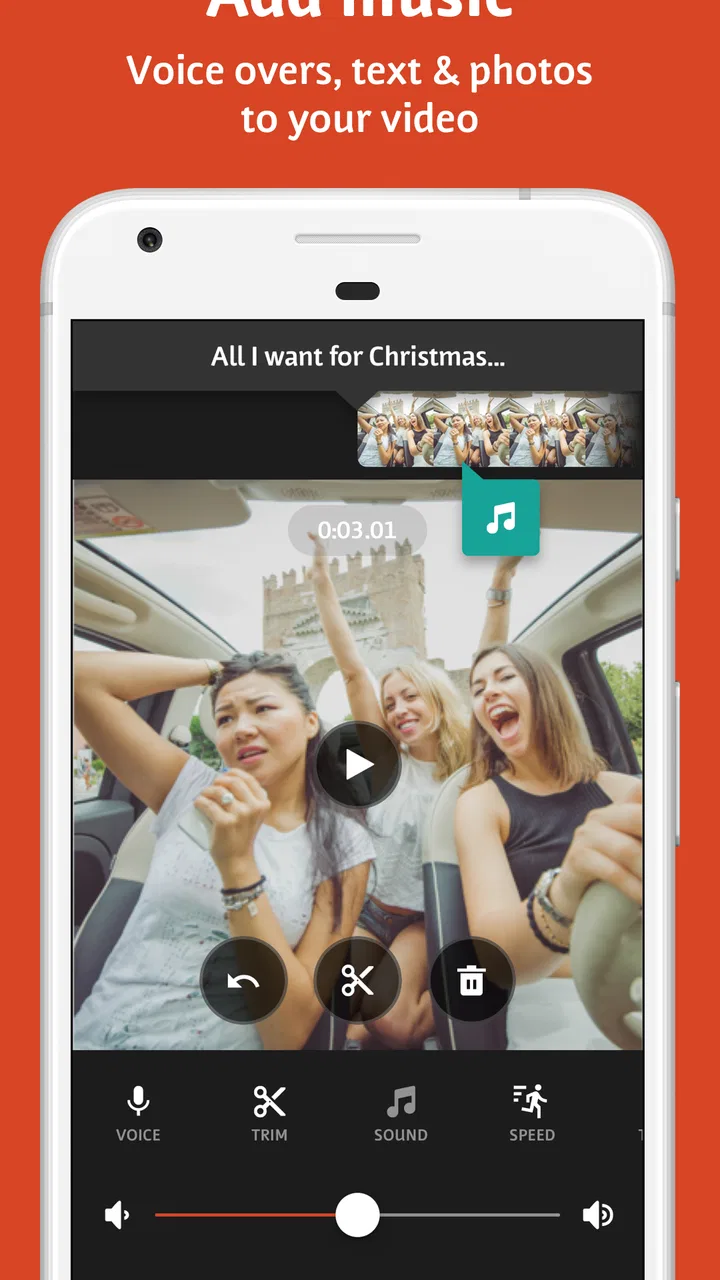
Videoshop - Video Editor is a mobile editing app designed for creating and refining videos directly on an Android or iOS device. It lets you trim and split clips, combine multiple recordings, adjust video speed, add music or sound effects, insert text and stickers, and apply visual filters. It is suitable for social media posts, short personal videos, vlogs, slideshows, and quick creative projects without requiring advanced editing experience.
02Is Videoshop - Video Editor free to download and use?
Videoshop can generally be downloaded for free, but some features, effects, tools, or export options may be restricted behind in-app purchases or a subscription, depending on the platform and current version. The free experience is useful for testing the editor and making basic projects, although users should review the app’s pricing, trial terms, and subscription renewal details before confirming any purchase.
03Can Videoshop export videos for social media?
Yes, Videoshop is designed with quick sharing in mind and can export finished projects for use on popular social platforms and messaging services. Available resolution, quality, format, and watermark conditions may depend on the device, app version, and whether premium features are being used. Before editing a long project, it is recommended to check the export settings and confirm that the result matches your intended platform.
04Does Videoshop support music, voiceovers, and other audio tools?
Videoshop includes audio-related tools that can make videos more engaging, such as adding music, applying sound effects, recording or inserting voice commentary, and adjusting the relationship between original clip audio and added tracks. However, users should be careful with copyrighted music when publishing content online. Audio availability and certain editing options may vary by operating system, app version, or premium access.
05Is Videoshop suitable for beginners, and what are its limitations?
Videoshop is generally approachable for beginners because its editing workflow is based on straightforward mobile controls rather than a complicated professional timeline. New users can quickly perform common tasks such as trimming clips, adding captions, changing speed, and applying filters. Its limitations include possible premium restrictions, device-dependent performance, fewer advanced tools than desktop editors, and potential export limitations for complex or high-resolution projects.
Pros
- Simple trimming
- splitting
- and merging tools are easy for beginners.
- Includes filters
- transitions
- text overlays
- and music options.
- Supports voiceovers and sound effects for more creative edits.
- Video speed controls allow slow-motion and fast-forward effects.
- Exports edited videos conveniently for sharing on social platforms.
Cons
- Some advanced editing features require a paid subscription.
- Large projects can take noticeable time to process and export.
- The interface may feel cramped on smaller phone screens.
- Certain effects and assets can make videos look less original.
- Export options may be limited compared with professional editors.

Videoshop - Video Editor
Gallery